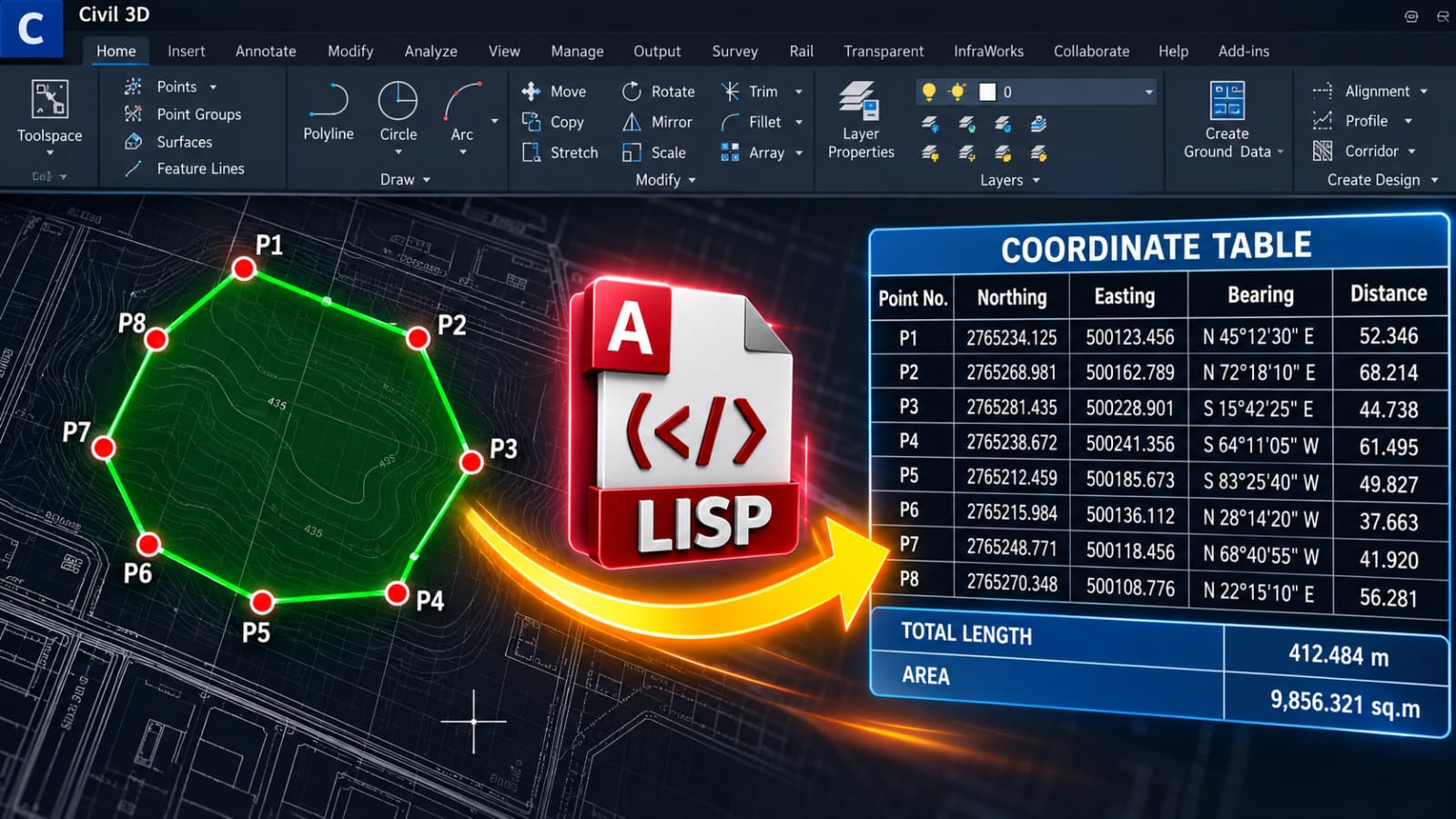
Create Points & Coordinate Table Using LISP in Civil 3D
When working on surveying and civil engineering projects in Civil 3D, creating points and preparing coordinate tables manually can take a significant amount of time. This becomes even more difficult when a drawing contains a polyline with many vertices and each vertex needs to be converted into a point with complete coordinate information.
A LISP routine can automate this workflow and make the process much faster and more efficient.
Automatically Create Points at Polyline Vertices
With the LISP routine, you can select a polyline and automatically create points at its vertices.
Instead of manually identifying each vertex and creating a point one by one, the routine can process the selected polyline and place the required points at the correct locations.
This is particularly useful for survey boundaries, property lines, subdivision layouts, site plans, and other drawings where multiple coordinate points are required.
[Download the LISP Routine – Link Here]
Generate a Coordinate Table
After creating the points, the LISP routine can generate a coordinate table containing important survey information.
The table can include:
- Point Number
- Northing
- Easting
- Bearing
- Distance
- Total Length
- Area
Having all this information in one table makes the drawing easier to review, check, and document.
Northing and Easting
The routine can extract the coordinate values directly from the polyline vertices and present them as Northing and Easting.
This eliminates the need to manually read coordinates from individual points and enter them into a separate table.
For survey documentation, this can save considerable time, especially when a boundary contains a large number of vertices.
Bearing and Distance
Another useful feature is the automatic calculation of Bearing and Distance between consecutive vertices.
For each segment of the polyline, the routine can determine the direction and length of the line and add the results to the coordinate table.
This is useful when preparing boundary surveys, property descriptions, site plans, and other engineering documentation.
Total Length and Area
If the selected polyline represents a closed boundary, the routine can also provide the Total Length and Area.
The total length represents the perimeter of the selected boundary, while the area represents the enclosed region.
This makes the routine useful for land and property surveys where both coordinate information and area calculations are required.
Simple Automated Workflow
The overall process can be completed through a simple workflow:
Select Polyline → Create Points → Extract Coordinates → Calculate Bearing & Distance → Generate Coordinate Table
This reduces several manual steps into a much faster automated process.
Why Use LISP in Civil 3D?
LISP is useful when you need to automate repetitive CAD tasks. Instead of performing the same operations repeatedly, a properly designed LISP routine can complete multiple steps automatically.
For surveyors and Civil 3D users, this can help improve productivity and reduce repetitive data-entry work.
It can be especially useful for:
- Land surveying
- Property boundary plans
- Topographic surveys
- Subdivision projects
- Site development plans
- Civil engineering drawings
- Coordinate documentation
Conclusion
Creating points and preparing coordinate tables from polyline vertices does not have to be a lengthy manual process.
With a suitable LISP routine in Civil 3D, you can automatically create points at polyline vertices and generate a structured table containing Northing, Easting, Bearing, Distance, Total Length, and Area.
This type of automation can make survey drafting faster, more organized, and more efficient, especially when working with boundaries containing many vertices.