

AutoCAD Coordinate LISP Free Download: Complete Guide for Surveyors
AutoCAD is one of the most used drafting tools for engineers, surveyors, architects, and CAD professionals. When working with survey drawings, coordinates are very important because they help define exact points, locations, boundaries, levels, and layout details. But adding coordinates manually in AutoCAD can take a lot of time. This is where an AutoCAD coordinate LISP free download becomes useful.
Civil 3D Pro provides helpful guides and videos for users who want to learn AutoCAD, Civil 3D, survey drafting, coordinates, and LISP tools. If you are looking for a simple way to add coordinates in AutoCAD, export point data, or improve your survey drawing workflow, then using a LISP for coordinates in AutoCAD can save time and reduce manual mistakes.
What Is AutoCAD Coordinate LISP?
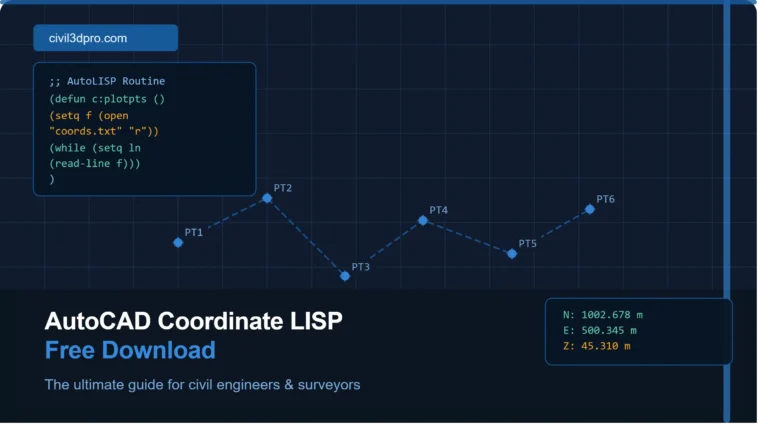
AutoCAD Coordinate LISP is a small custom program that works inside AutoCAD. It helps users perform coordinate-related tasks faster. Instead of typing or labeling each coordinate manually, the LISP command can automatically pick points and display their Easting and Northing values on the drawing.
Many surveyors, draftsmen, and civil engineers search for autocad lisp for coordinates free download because they need quick tools for daily site drawings. These LISP files are mostly used for marking points, creating coordinate tables, extracting point values, and labeling survey layouts.
AutoCAD already supports drafting and automation features, and customization through APIs and add-on tools can improve productivity for users working on repetitive tasks.
Why Surveyors Need Coordinate LISP in AutoCAD
Survey drawings often include many points. These points can represent boundary corners, road centerlines, building corners, plot lines, utility points, or level locations. If a surveyor has to label every point manually, the work becomes slow and difficult.
A free AutoCAD LISP for surveyors helps make this process easier. With one command, users can select a point and place coordinate text directly on the drawing. This makes the drawing more professional and easier to read.
Surveyors also use LISP files when they need accurate point marking for land surveys, topographic drawings, construction layouts, road projects, and civil engineering drawings.
Main Benefits of AutoCAD Coordinate LISP Free Download
The biggest benefit of using an AutoCAD coordinate LISP is time saving. Instead of typing each coordinate one by one, the LISP can display values automatically.
It also improves accuracy. Manual typing can cause mistakes, especially when working with long coordinate numbers. A LISP file reads the actual point value from AutoCAD, which helps reduce errors.
Another benefit is better presentation. Coordinate labels placed by LISP tools can make drawings cleaner and easier to understand. This is useful when sharing files with clients, engineers, or site teams.
For beginners, Civil 3D Pro provides guides and videos that explain how to use these tools step by step. This helps new users understand not only how to download a LISP file but also how to load and run it properly inside AutoCAD.
How to Load LISP File in AutoCAD
After downloading the LISP file, open AutoCAD and type APPLOAD in the command line. Press Enter, then browse your computer and select the LISP file. Click Load, and AutoCAD will add the tool to your current session.
After loading the file, type the command name given with the LISP. Different LISP files may have different command names. Some may use commands like COOR, XY, PT, or similar short commands.
Once the command starts, select the point where you want to show coordinates. The LISP will place the coordinate text on your drawing according to its settings.
Common Uses of LISP for Coordinates in AutoCAD
A LISP for coordinates in AutoCAD can be used in many types of civil and survey drawings. It is useful for marking plot corners, layout points, road alignment points, building grid points, and site boundary points.
It can also be used to prepare coordinate tables. Some LISP files allow users to select multiple points and generate a list of coordinates. This is helpful when preparing survey reports or layout sheets.
Many users searching for lisp file free download want a simple tool that works fast without complicated setup. Civil 3D Pro helps users find practical AutoCAD and Civil 3D solutions with easy guides and video tutorials.
Free AutoCAD LISP for Surveyors Download
If you are a surveyor, civil draftsman, or AutoCAD beginner, a free AutoCAD LISP for surveyors download can help you improve your workflow. It is especially useful when your daily work includes coordinate marking, point labeling, or layout preparation.
Before using any LISP file, make sure you understand how it works. Always test it on a sample drawing first. This helps you avoid formatting issues or wrong placement in your main project file.
Civil 3D Pro provides useful AutoCAD LISP guides, download information, and video tutorials so users can learn the process easily.
Tips Before Using AutoCAD Coordinate LISP
Always keep a backup of your drawing before running any new LISP file. This is a simple habit that can save your work if something does not appear as expected.
Check your drawing units before placing coordinates. If the drawing unit is wrong, the coordinate values may not match your survey data.
Also check the text height and annotation scale. Sometimes coordinate labels appear too small or too large because of drawing scale settings. Adjust these settings before final plotting.
Why Use Civil 3D Pro for AutoCAD LISP Guides
Civil 3D Pro is created to help AutoCAD and Civil 3D users learn practical drafting tools. The site provides guides and videos about AutoCAD LISP files, Civil 3D workflows, survey tools, and coordinate-based drafting.
Instead of only downloading a file, users can learn how to use it correctly. This is important because many beginners download LISP files but do not know how to load, run, or troubleshoot them.
With Civil 3D Pro, users can follow step-by-step tutorials and improve their AutoCAD skills with clear examples.
Conclusion
An AutoCAD coordinate LISP free download is a useful tool for surveyors, civil engineers, and CAD operators. It helps label coordinates quickly, improves accuracy, and saves time in survey drawings.
Whether you need a free AutoCAD LISP for surveyors, autocad lisp for coordinates free download, or a simple lisp file free download, Civil 3D Pro provides helpful guides and videos to support your learning.
check out the lisp file free download.



One Comment